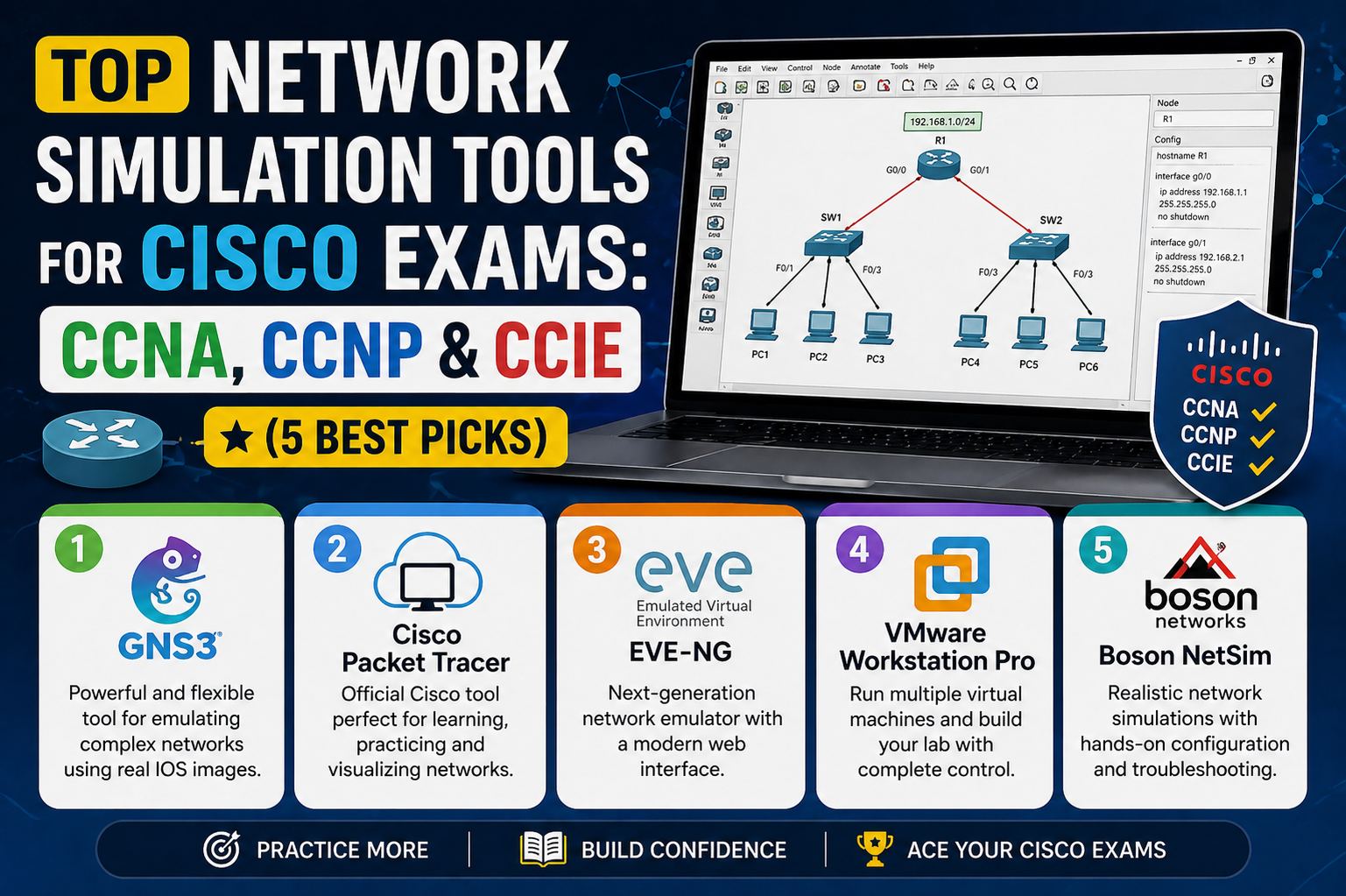
Preparing for Cisco certifications such as CCNA, CCNP, and CCIE requires more than just reading theory; it demands consistent hands-on practice with networking concepts in a controlled environment. Since real physical equipment can be expensive and difficult to access, network simulation and emulation tools have become essential for learners. These tools allow students and professionals to build virtual network topologies, configure routers and switches, and troubleshoot scenarios similar to real-world environments. However, selecting the right platform is not always straightforward because each tool offers different strengths, limitations, and levels of realism. Some are lightweight and beginner-friendly, while others are powerful but require advanced system resources and technical understanding. Understanding these differences is important before committing to one tool for exam preparation.
Understanding Network Simulators in Cisco Exam Preparation
Network simulators are software applications designed to imitate the behavior of real networking devices within a virtual environment. Instead of running actual Cisco hardware, these simulators create virtual devices that respond to commands in a way that resembles real equipment. However, they do not fully replicate the internal hardware behavior or advanced protocol processing of real devices. Because of this limitation, simulators are often restricted to the features that developers have pre-programmed into them. This means that some advanced enterprise-level technologies may not be fully supported. Despite this limitation, simulators are extremely useful for beginners because they provide a safe, lightweight, and accessible environment to learn basic and intermediate networking concepts without requiring high-end hardware or complex setup procedures.
Role of Simulation Tools in Certification Learning
For Cisco certification exams, simulation tools play a critical role in building foundational knowledge. They help learners understand routing concepts, VLAN configuration, IP addressing, and basic troubleshooting workflows. These tools are especially valuable for entry-level certifications where the focus is on understanding how devices interact within a network rather than implementing highly complex enterprise architectures. While simulators are not a complete replacement for real hardware or advanced emulators, they are often the first step in a learner’s journey toward mastering networking skills. Their ease of installation and use makes them highly accessible, even for users with limited technical background.
Cisco Packet Tracer as a Learning Simulator
Cisco Packet Tracer is one of the most widely used network simulation tools for students preparing for entry-level Cisco certifications such as CCNA. Originally developed as part of Cisco’s Networking Academy initiative, it was designed to provide learners with an interactive environment where they can practice networking concepts visually and practically. Over time, it has become one of the most popular tools for networking education due to its simplicity, accessibility, and wide range of built-in features. It allows users to create virtual network topologies using routers, switches, firewalls, wireless devices, and end systems, making it a versatile platform for foundational learning.
Accessibility and Cost Advantage of Packet Tracer
One of the strongest advantages of Cisco Packet Tracer is that it is completely free to use. Users only need to register for a Cisco Networking Academy account, which does not require any payment. This makes it highly accessible for students worldwide, especially those who may not have the financial resources to invest in paid simulation or emulation software. The fact that it runs on standard personal computers without requiring specialized hardware further increases its appeal. Learners can install and start practicing within minutes, which removes one of the biggest barriers to entry in networking education.
Cross-Platform Support and System Compatibility
Packet Tracer is designed to work on multiple operating systems, which makes it flexible for different types of users. It supports various versions of Windows as well as macOS and Linux distributions. This cross-platform compatibility ensures that learners are not restricted by their choice of operating system. Whether a user is working on a laptop for personal study or a desktop in a lab environment, Packet Tracer can function efficiently without major compatibility issues. This adaptability makes it a practical choice for students in diverse learning environments.
Wide Range of Network Devices in Packet Tracer
Packet Tracer includes a broad selection of virtual devices that simulate real Cisco hardware. Users can work with different router models, switch types, wireless access points, and even security appliances. This variety allows learners to experiment with different network architectures and understand how each device contributes to overall network functionality. For example, students can configure routing protocols on routers, implement VLANs on switches, or explore basic firewall behavior using simulated security devices. This hands-on exposure is essential for building confidence before working with real equipment or more advanced emulation platforms.
Support for Different Network Connection Types
Another valuable feature of Packet Tracer is its support for multiple types of network connections. Users can simulate Ethernet connections such as straight-through and crossover cables, as well as serial connections used in WAN environments. It also allows fiber connections and console cable configurations. This variety helps learners understand how different physical media affect network communication. Even though modern networks rely heavily on Ethernet and fiber, understanding legacy technologies such as serial links is still important for certification exams. Packet Tracer provides a safe environment to practice these configurations without risk.
Realistic Networking Experience Through Simulation Mode
Packet Tracer includes a powerful Simulation Mode that allows users to observe how data packets move through a network step by step. This feature is extremely useful for understanding complex networking behavior that is otherwise invisible in real-time operation. In this mode, users can see how protocols interact, how routing decisions are made, and how packets are forwarded or dropped by devices. This visual representation makes it easier to grasp concepts such as ARP resolution, routing table decisions, and protocol handshakes. It is particularly helpful for troubleshooting scenarios where understanding packet flow is essential.
Real-Time Mode and Network Behavior Simulation
In addition to Simulation Mode, Packet Tracer also operates in Real-Time Mode, where the network behaves like a live system. Devices generate traffic, exchange protocol messages, and forward data continuously, similar to real-world networks. This mode helps learners understand how networks function under normal operating conditions. The combination of real-time behavior and visual simulation provides a balanced learning environment that supports both conceptual understanding and practical application.
Built-In CLI and Terminal Experience
Packet Tracer includes a command-line interface that closely resembles real Cisco IOS terminals. Users can configure devices using familiar commands, making it easier to transition to real networking equipment later. The CLI also supports keyboard shortcuts that improve efficiency during configuration tasks. These shortcuts mirror many of the functions available in actual Cisco environments, helping learners develop muscle memory for command execution. While it is not a perfect replica of real hardware behavior, it is close enough to provide meaningful practice for certification exams.
Limitations in Copy and Paste Functionality
Although Packet Tracer provides a functional CLI experience, its text handling system has some limitations compared to real terminal applications. For example, copying and pasting text requires additional steps using menu options rather than direct clipboard integration. This may feel slightly less intuitive for users accustomed to modern terminal applications. However, this limitation does not significantly impact learning outcomes, as it primarily affects convenience rather than functionality.
Creating Custom Labs in Packet Tracer
Packet Tracer also allows users to create custom lab exercises using its built-in Activity Wizard. This feature enables instructors and advanced learners to design structured exercises with specific objectives, instructions, and grading criteria. These custom labs can simulate real exam-style scenarios where learners must complete configuration tasks and verify results. This flexibility makes Packet Tracer useful not only for individual practice but also for structured learning environments such as classrooms and training programs.
Limitations of Custom Lab Distribution
Despite its flexibility, Packet Tracer has limitations when it comes to sharing and managing custom labs. Lab files must be manually distributed, and version compatibility can sometimes cause issues between different software versions. There is no centralized system for sharing or updating labs within the application itself, which can make collaboration less efficient. Additionally, learners who do not have access to structured lab content may find it difficult to know where to begin when starting with a blank workspace.
Bugs and Stability Concerns in Packet Tracer
Like many simulation tools, Packet Tracer is not completely free of bugs. Some users occasionally encounter unexpected behavior where configurations do not produce the expected results. In many cases, restarting or reloading the project resolves the issue, but this can interrupt the learning process. While these issues are generally minor, they can sometimes lead to confusion, especially for beginners who are still learning how networking systems behave.
No Built-In Structured Lab Library
One of the challenges of Packet Tracer is that it does not include a large built-in library of guided labs by default. When users first open the software, they are presented with a blank workspace. While this encourages experimentation, it can also feel overwhelming for beginners who prefer step-by-step guidance. Structured labs are available through Cisco’s training programs, but they are not directly integrated into the software for all users. This means learners often need to search externally for practice materials.
Overall Learning Value of Packet Tracer
Despite its limitations, Packet Tracer remains one of the most effective tools for beginners preparing for Cisco certification exams. Its simplicity, accessibility, and educational focus make it an excellent starting point for understanding networking fundamentals. It provides enough realism to build confidence while remaining lightweight enough to run on almost any modern computer. For learners at the CCNA level, it serves as a strong foundation before moving on to more advanced emulators and real-world lab environments.
Boson NetSim as a Structured Cisco Exam Simulator
Boson NetSim is a paid network simulation tool designed specifically for Cisco certification preparation, particularly CCNA, CCNP, and related tracks. Unlike lightweight tools that focus mainly on basic experimentation, NetSim is built around structured learning. It provides carefully designed lab environments that guide learners through configuration tasks step by step. Each lab is aligned with specific exam objectives, which makes it especially useful for students who prefer a guided and exam-focused learning approach. The software is widely recognized for its structured content quality, making it a strong alternative to free simulation tools.
Exam-Focused Learning Approach in NetSim
One of the most important characteristics of NetSim is its strong alignment with Cisco exam objectives. Instead of offering an open sandbox, it provides predefined labs that are carefully designed to match real certification topics. These labs include routing, switching, VLAN configuration, OSPF, EIGRP, and various troubleshooting scenarios. Each lab is structured in a way that gradually builds knowledge, ensuring that learners understand both configuration commands and underlying concepts. This approach reduces confusion and helps students stay focused on exam-relevant skills rather than exploring unrelated configurations.
High-Quality Lab Design and Instructions
NetSim is known for its detailed lab instructions that clearly explain what needs to be configured and verified. Each lab typically includes step-by-step tasks that guide the learner through the process of building and troubleshooting a network. In many cases, labs also include conceptual questions that require users to interpret command outputs or analyze network behavior. This combination of practical configuration and analytical thinking helps reinforce learning at a deeper level compared to simple command repetition.
Built-In Grading and Progress Tracking System
Another important feature of NetSim is its built-in grading system. After completing a lab, users can verify whether their configurations meet the required objectives. The software automatically checks network behavior and provides feedback on correctness. This eliminates the need for manual verification and helps learners quickly identify mistakes. Additionally, NetSim tracks progress across multiple labs, allowing users to see completed, pending, and partially completed exercises. This structured tracking system is useful for maintaining study discipline and monitoring improvement over time.
Integrated Lab Environment Without External Files
Unlike some simulation tools that require manual downloading and importing of lab files, NetSim provides an integrated environment where all labs are available within the application itself. Users do not need to manage separate files or worry about version compatibility. Everything is centralized, which simplifies the learning process. This design is particularly helpful for beginners who may struggle with file management in more complex emulation environments.
Realistic Terminal Experience in NetSim
NetSim includes a command-line interface that closely resembles real Cisco IOS behavior. One of its notable features is improved clipboard integration, where copying and pasting text behaves more like real terminal applications. This makes configuration tasks smoother and more efficient. Additionally, the terminal supports tabbed sessions, allowing users to switch between multiple devices easily. This improves workflow efficiency when working with larger topologies.
Device Customization and Hardware Simulation Features
NetSim provides limited but useful device customization options. Users can add or modify hardware modules in supported devices, such as serial interface cards or Ethernet expansion modules. The software clearly displays what each module adds to the device, helping learners understand hardware-level networking concepts. This feature is particularly useful for understanding interface types and physical connectivity, which are important topics in Cisco certification exams.
Reduced Complexity in Lab Interaction
Compared to more complex emulation tools, NetSim simplifies many interactions. Instead of manually powering devices on and off or physically dragging modules into slots, many of these actions are streamlined. This reduces unnecessary complexity and allows learners to focus more on networking concepts rather than device management mechanics. As a result, lab sessions tend to be faster and more focused.
Limitations in Visual Topology Representation
Despite its strengths, NetSim has some limitations in how it visually represents network topologies. The interface provides basic device and link visualization but lacks advanced graphical features found in other tools. For example, link status indicators and real-time traffic visualization are limited. This can make it harder for visual learners to fully understand how data flows through a network compared to more graphically rich simulators.
Limited Topology Customization Options
NetSim does not offer extensive customization options for network diagrams. Users cannot freely add shapes, colored regions, or advanced annotations to represent network segments. This limitation becomes noticeable when studying complex topics such as multi-area OSPF or large enterprise network segmentation. While basic labeling is supported, the visual flexibility is more restricted compared to other tools.
Restriction on Modifying Active Topologies
One of the more significant limitations of NetSim is that active network topologies cannot be modified while running. If a user wants to add or remove devices, they must stop the entire simulation first. This can slow down experimentation and reduce flexibility during lab practice. Although restarting topologies is generally fast, it still interrupts workflow and can slightly reduce efficiency during extended study sessions.
Lack of Serial Interface Simulation in Some Scenarios
While NetSim supports a range of network configurations, its handling of serial interfaces and certain legacy technologies may be limited compared to other platforms. This can be a disadvantage for learners preparing for exams that include older WAN technologies. In such cases, additional tools may be required to gain full practical exposure.
Subscription-Based Licensing Model
NetSim operates on a paid licensing model, which is structured according to Cisco certification levels. Each license typically includes access to labs for a specific exam track. While this provides a clear learning structure, it also introduces a recurring cost. However, many learners consider this cost justified due to the quality of labs and structured learning environment provided by the software.
Learning Value for Cisco Certification Candidates
NetSim is particularly valuable for learners who prefer structured guidance over open-ended experimentation. It reduces uncertainty by providing clearly defined tasks and immediate feedback. This makes it easier to stay on track during exam preparation. While it may not offer the flexibility of more advanced emulation platforms, its strength lies in focused learning and exam alignment.
GNS3 as a Real Network Emulation Platform
GNS3 is a powerful open-source network emulation tool that goes beyond simple simulation. Instead of simulating network behavior, it emulates real Cisco IOS images and other vendor operating systems. This allows users to work with virtual devices that behave almost identically to real hardware. Because of this, GNS3 is widely used by advanced learners and professionals who want realistic networking environments for deep technical practice.
Architecture and System Requirements of GNS3
GNS3 operates using a client-server architecture, where the graphical interface runs on the user’s computer while virtual devices are executed on a server or virtual machine. This setup allows for more powerful simulations but also increases system requirements. Users typically need significant CPU, memory, and storage resources to run complex topologies effectively. In many cases, a dedicated virtual machine is recommended to handle network workloads efficiently.
Use of Cisco IOS Images in GNS3
Unlike simulators that come preloaded with devices, GNS3 requires users to provide their own Cisco IOS images or virtual appliance files. These images are used to emulate real networking devices. While this provides a highly realistic environment, it also introduces a dependency on legally obtained software images. Without these images, GNS3 cannot function as a Cisco emulation platform.
Open-Source Community and Flexibility
One of the strongest advantages of GNS3 is its open-source nature. It has an active global community that contributes documentation, troubleshooting support, and feature improvements. Users can also modify and extend the software according to their needs. This flexibility makes it a popular choice among network engineers who want full control over their lab environment.
Support for Multiple Vendor Environments
GNS3 is not limited to Cisco devices. It supports a wide range of vendor appliances, including systems from Juniper, Palo Alto, and other networking vendors. This makes it useful not only for Cisco certification preparation but also for real-world multi-vendor network design and testing. Learners can build complex enterprise environments that closely resemble production networks.
Active Topology Modification Capabilities
Unlike some simulators that require stopping a network before making changes, GNS3 allows users to modify active topologies. Devices can be added, removed, or reconfigured without shutting down the entire environment. This feature significantly improves workflow efficiency and makes experimentation more flexible, especially when testing different network designs.
Multiple Connection Types Including Serial Interfaces
GNS3 supports both Ethernet and serial connections, allowing users to simulate a wide range of networking scenarios. This is particularly useful for learners studying older WAN technologies or advanced routing concepts. The ability to replicate both modern and legacy network setups makes GNS3 a highly versatile tool for certification preparation.
Cisco Modeling Labs (CML-P) as a Professional Cisco Emulator
Cisco Modeling Labs – Personal, commonly known as CML-P, is Cisco’s official network emulation platform designed for learners, professionals, and training environments. Unlike lightweight simulators, CML-P focuses on virtualizing real Cisco operating systems such as IOSv, IOSvL2, IOS-XRv, and other enterprise-grade images. This makes it one of the most realistic environments available for Cisco certification preparation. It is especially useful for learners who want to simulate enterprise-level networks with behavior that closely matches production systems.
Official Cisco Software Image Integration
One of the strongest advantages of CML-P is that it provides legally licensed Cisco software images. This eliminates the need to source images manually, which is a requirement in many third-party emulators. Users gain access to a wide range of Cisco platforms, including routers, switches, firewalls, and virtualized network services. This official integration ensures compatibility, stability, and realism, making it a trusted platform for serious Cisco learners and professionals preparing for advanced certifications like CCNP and CCIE.
Structured Virtual Lab Environment in CML-P
CML-P provides a structured environment where users can design, deploy, and test complex network topologies. The workflow is divided into design mode and simulation mode, allowing learners to build networks before activating them. Once the simulation starts, devices run like real systems, exchanging routing updates and forwarding traffic. This separation helps users carefully plan network architectures before execution, which mirrors real-world network engineering practices.
Network Topology Portability and Sharing Features
CML-P supports exporting and importing network topologies, allowing users to share lab environments across systems or with other learners. This is especially useful for collaboration and standardized training environments. Users can also reuse predefined templates to quickly build common network designs. This portability improves efficiency in learning and allows repeated practice of complex scenarios without rebuilding configurations from scratch.
Advanced Automation Capabilities in CML-P
CML-P includes automation tools that allow users to apply configurations across multiple devices quickly. Features like AutoNetKit help generate baseline configurations automatically, reducing manual setup time. While this is useful for large-scale simulations, it may reduce hands-on configuration practice if overused. However, for enterprise-level testing and rapid prototyping, these automation features provide significant value.
High Resource Requirements of CML-P
One of the major limitations of CML-P is its heavy demand on system resources. It requires a powerful CPU, sufficient RAM, and significant storage space to run multiple virtual devices simultaneously. Each virtual router or switch consumes memory and processing power, and complex topologies can quickly exhaust system capacity. Because of this, users often need high-performance machines or dedicated virtual environments to run CML-P smoothly.
Cost Considerations for Learners
CML-P is a paid platform with an annual subscription model. While it offers official Cisco images and enterprise-grade functionality, the cost can be a limiting factor for some learners. The licensing typically allows a fixed number of active nodes, which may be sufficient for CCNA or CCNP preparation but can feel restrictive for CCIE-level labs that require larger and more complex topologies.
Limitations in Serial Interface Support
CML-P does not support serial interfaces, which can be a drawback for learners studying older WAN technologies. Many Cisco certification topics still reference legacy technologies like Frame Relay, which rely on serial connections. Because of this limitation, learners may need to supplement CML-P with other tools to fully cover exam requirements involving legacy network technologies.
Restrictions on Active Topology Changes
Once a topology is running in CML-P, modifications cannot be made directly. Users must stop the simulation before adding or removing devices or changing connections. This can slow down experimentation and reduce flexibility during lab practice. Although this design improves system stability, it can interrupt workflow when frequent adjustments are needed during learning.
Comparison with Other Emulation Platforms
Compared to tools like GNS3 and EVE-NG, CML-P offers the advantage of official Cisco support and licensed images, but it lacks some flexibility in topology management. GNS3 and EVE-NG allow more dynamic changes during active simulations, while CML-P follows a more structured approach. This makes CML-P better suited for formal learning environments and structured study rather than open experimentation.
EVE-NG as a Flexible Multi-Vendor Emulator
EVE-NG is another powerful network emulation platform widely used for Cisco certification preparation. It supports multiple vendors and provides a highly flexible environment for building complex virtual networks. Unlike traditional simulators, EVE-NG runs real operating system images, allowing users to interact with devices exactly as they would in real-world environments. It is especially popular among advanced learners due to its scalability and realism.
Clientless HTML5-Based Interface in EVE-NG
One of the most unique features of EVE-NG is its web-based interface. Users can access and manage network topologies directly through a browser without installing a dedicated desktop application. This makes it highly accessible and convenient, especially in environments where software installation is restricted. The HTML5 interface is responsive and supports real-time interaction with virtual devices.
Support for Large-Scale Network Topologies
EVE-NG is capable of handling very large network topologies, especially in its professional edition. Users can simulate hundreds of virtual devices depending on hardware resources. This scalability makes it suitable not only for certification preparation but also for enterprise-level network design and testing. It is commonly used in professional labs where complex architectures need to be validated.
Active Topology Modification in EVE-NG
Similar to GNS3, EVE-NG allows users to modify network topologies while they are running. Devices can be added, removed, or reconfigured without stopping the entire simulation. This flexibility is highly valuable when testing different scenarios or troubleshooting configurations. It significantly reduces downtime during experimentation and improves learning efficiency.
Multiple Vendor and Interface Support
EVE-NG supports a wide range of network operating systems, including Cisco, Juniper, Palo Alto, and others. It also supports both Ethernet and serial connections, making it suitable for studying a broad range of networking technologies. This multi-vendor capability allows users to build realistic enterprise networks that reflect actual production environments.
Challenges with Image Management in EVE-NG
One of the main challenges of EVE-NG is the requirement to manually obtain and manage virtual machine images. Users must import and configure operating system images before they can be used in simulations. This process requires technical knowledge and may involve legal considerations regarding software licensing. It can be complex for beginners compared to pre-packaged solutions.
Documentation and Learning Curve
While EVE-NG has extensive documentation, it can sometimes be difficult for beginners to follow due to its technical nature. The learning curve is higher compared to simpler tools like Packet Tracer. However, once mastered, it provides one of the most powerful and flexible networking simulation environments available.
Containerlab as a Modern Network Simulation Approach
Containerlab is a newer network simulation platform that uses container-based technology instead of traditional virtual machines. It relies on Docker to deploy lightweight network containers, making it highly efficient and scalable. It is designed for modern networking environments where speed, automation, and flexibility are important.
Lightweight and Fast Network Deployment
Because Containerlab is container-based, it is significantly lighter than VM-based emulators. It allows users to quickly spin up network topologies without heavy system overhead. This makes it ideal for rapid testing and experimentation. Network devices can be launched and destroyed quickly, enabling efficient workflow for developers and engineers.
Scalability and Automation Benefits
Containerlab integrates well with orchestration systems, allowing large-scale network simulations across multiple machines. It supports automation tools, making it suitable for DevOps-style networking environments. This scalability is one of its strongest advantages, especially for modern cloud and software-defined networking scenarios.
Limitations for Cisco Certification Preparation
Despite its strengths, Containerlab is not ideal for Cisco certification preparation. It does not fully replicate Cisco hardware behavior and lacks specific exam-oriented features such as Packet Tracer-style guided labs. It is more suited for advanced networking development and testing rather than structured exam training.
Final Comparison of Cisco Network Simulators and Emulators for Certification Success
After exploring different tools such as Packet Tracer, Boson NetSim, GNS3, Cisco Modeling Labs, EVE-NG, and Containerlab, it becomes clear that there is no single perfect solution for Cisco certification preparation. Each platform is designed with a different purpose in mind. Some focus on simplicity and learning fundamentals, while others aim to replicate real enterprise environments with high accuracy. Understanding these differences helps learners choose a tool that matches their current skill level, system resources, and certification goals.
Choosing Between Simulators and Emulators for Learning
Network simulators and network emulators serve different learning needs. Simulators are generally easier to use and are designed for beginners who are just starting to understand networking concepts. They provide controlled environments where users can practice basic configurations without worrying about complex system setups. Emulators, on the other hand, are more advanced and closer to real-world networking environments. They run actual operating system images and allow deeper experimentation with protocols, routing behavior, and enterprise configurations. The choice between them depends on whether the learner is focused on foundational knowledge or advanced hands-on experience.
Packet Tracer as the Entry-Level Learning Platform
Packet Tracer remains the most widely used entry-level tool for Cisco certification preparation. It is especially suitable for CCNA candidates because it provides a simple interface, lightweight performance, and a wide range of basic networking features. Learners can build topologies, configure devices, and observe packet flow without needing powerful hardware. Its Simulation Mode is particularly helpful for visualizing how data moves through a network. However, it is limited in terms of advanced features and does not fully replicate real Cisco IOS behavior, which means learners eventually need to transition to more advanced tools.
Boson NetSim for Structured Exam Preparation
Boson NetSim is ideal for learners who prefer structured guidance and exam-focused practice. It provides carefully designed labs that directly align with Cisco certification objectives. Each lab includes step-by-step instructions, verification tasks, and automated grading, which helps learners track their progress effectively. This structured approach reduces confusion and ensures that users focus only on relevant exam topics. However, its closed ecosystem and limited flexibility make it less suitable for open-ended experimentation compared to emulator-based platforms.
GNS3 for Realistic Networking Practice
GNS3 is widely regarded as one of the most powerful free network emulation tools available. It allows users to run real Cisco IOS images and other vendor operating systems, making it highly realistic. This makes it particularly useful for CCNP and CCIE-level preparation where deep technical understanding is required. GNS3 also supports multiple vendors, flexible topology design, and active modification of running networks. However, it requires manual setup of images and significant system resources, which can make it challenging for beginners.
Cisco Modeling Labs for Official Cisco Experience
CML-P provides the most official Cisco-supported emulation environment. It includes licensed Cisco images and offers a stable platform for building enterprise-grade topologies. Its structured design workflow and automation tools make it useful for both learning and professional network testing. However, it comes with a cost and requires strong hardware resources. Its inability to modify active topologies and lack of serial interface support are limitations that may affect certain learning scenarios. Despite this, it remains one of the most authentic Cisco learning environments available.
EVE-NG for Flexible Multi-Vendor Simulation
EVE-NG stands out due to its flexibility and browser-based interface. It allows learners to build large-scale, multi-vendor networks and interact with them through a simple web browser. Its ability to modify active topologies and support multiple connection types makes it highly powerful for advanced users. It is especially popular among professionals who want to simulate enterprise environments. However, like GNS3 and CML-P, it requires users to manually source and manage network images, which adds complexity.
Containerlab for Modern Cloud-Native Networking
Containerlab represents a modern approach to network simulation using container technology. It is extremely lightweight, fast, and highly scalable, making it suitable for cloud-native environments and automation-focused workflows. It integrates well with tools like Docker and Kubernetes, allowing large-scale deployments with minimal overhead. However, it is not specifically designed for Cisco certification exams and lacks traditional exam-oriented features such as guided labs and Cisco IOS emulation. It is better suited for advanced networking development rather than structured certification study.
Performance and Hardware Considerations Across Tools
One of the most important factors when choosing a network simulation or emulation tool is system performance. Lightweight tools like Packet Tracer run easily on almost any computer, while platforms like GNS3, EVE-NG, and CML-P require significantly more CPU, RAM, and storage resources. Learners must consider their hardware capabilities before selecting a platform. Running complex topologies on insufficient hardware can lead to slow performance and a poor learning experience, which may discourage consistent practice.
Learning Progression Strategy for Cisco Certifications
A practical approach to Cisco certification preparation involves progressing through tools as skills improve. Beginners typically start with Packet Tracer to understand basic networking concepts. As they advance, they move to NetSim for structured exam practice. Intermediate and advanced learners then transition to GNS3 or EVE-NG for real-world simulation experience. Finally, professional-level learners or enterprise engineers may use CML-P or Containerlab depending on their specialization. This layered approach ensures gradual skill development without overwhelming the learner.
Realism vs Simplicity in Network Learning Tools
There is always a trade-off between realism and simplicity in network simulation tools. Packet Tracer and NetSim prioritize ease of use and structured learning, making them ideal for beginners. In contrast, GNS3, EVE-NG, and CML-P prioritize realism, allowing users to work with actual operating systems and complex configurations. Containerlab focuses on scalability and modern infrastructure rather than traditional Cisco certification workflows. Understanding this balance helps learners avoid choosing tools that are either too simple or too complex for their current stage.
Importance of Hands-On Practice for Cisco Exams
Regardless of the tool used, hands-on practice is essential for success in Cisco certification exams. Reading theory alone is not sufficient to understand routing protocols, switching behavior, or network troubleshooting techniques. Simulation and emulation tools provide a safe environment where learners can make mistakes, test configurations, and build confidence. The more time spent practicing real configurations, the stronger the understanding of networking concepts becomes.
Common Mistakes When Choosing Simulation Tools
Many learners make the mistake of relying too heavily on one tool without considering its limitations. For example, depending only on Packet Tracer may limit exposure to real-world behaviors, while jumping directly into GNS3 or EVE-NG may feel overwhelming for beginners. Another common mistake is ignoring system requirements, which leads to performance issues and frustration. Choosing the right tool at the right stage is essential for maintaining steady progress.
Conclusion
There is no single “best” network simulator or emulator that fits every learner, because each tool serves a different stage of the Cisco learning journey. For beginners, Packet Tracer provides a simple, lightweight, and highly accessible environment to understand core networking concepts without requiring powerful hardware. For structured and exam-focused preparation, Boson NetSim stands out due to its guided labs, clear objectives, and built-in grading system that keeps learners aligned with certification goals.
As learners move into more advanced stages, emulation tools such as GNS3 and EVE-NG become more important. These platforms provide a highly realistic networking experience by running actual Cisco IOS images and supporting complex multi-vendor topologies. They are ideal for CCNP and CCIE-level preparation where deeper understanding, troubleshooting skills, and real-world behavior are essential. However, they also require stronger hardware and more technical setup knowledge.
Cisco Modeling Labs (CML-P) adds another layer of realism with official Cisco-supported images and enterprise-style workflows, making it suitable for serious learners and professionals who want a controlled but authentic Cisco environment. Meanwhile, modern tools like Containerlab introduce a cloud-native, container-based approach that is powerful for automation and scalability, although it is less focused on traditional certification-style learning.
Ultimately, the best strategy is not to rely on a single tool but to use a combination based on your level of experience. Start with simpler simulators to build fundamentals, then gradually move toward advanced emulators for real-world practice. Consistent hands-on experience matters far more than the specific tool chosen. Mastery in Cisco networking comes from practice, repetition, and understanding how networks behave in different scenarios—not just from the software itself.