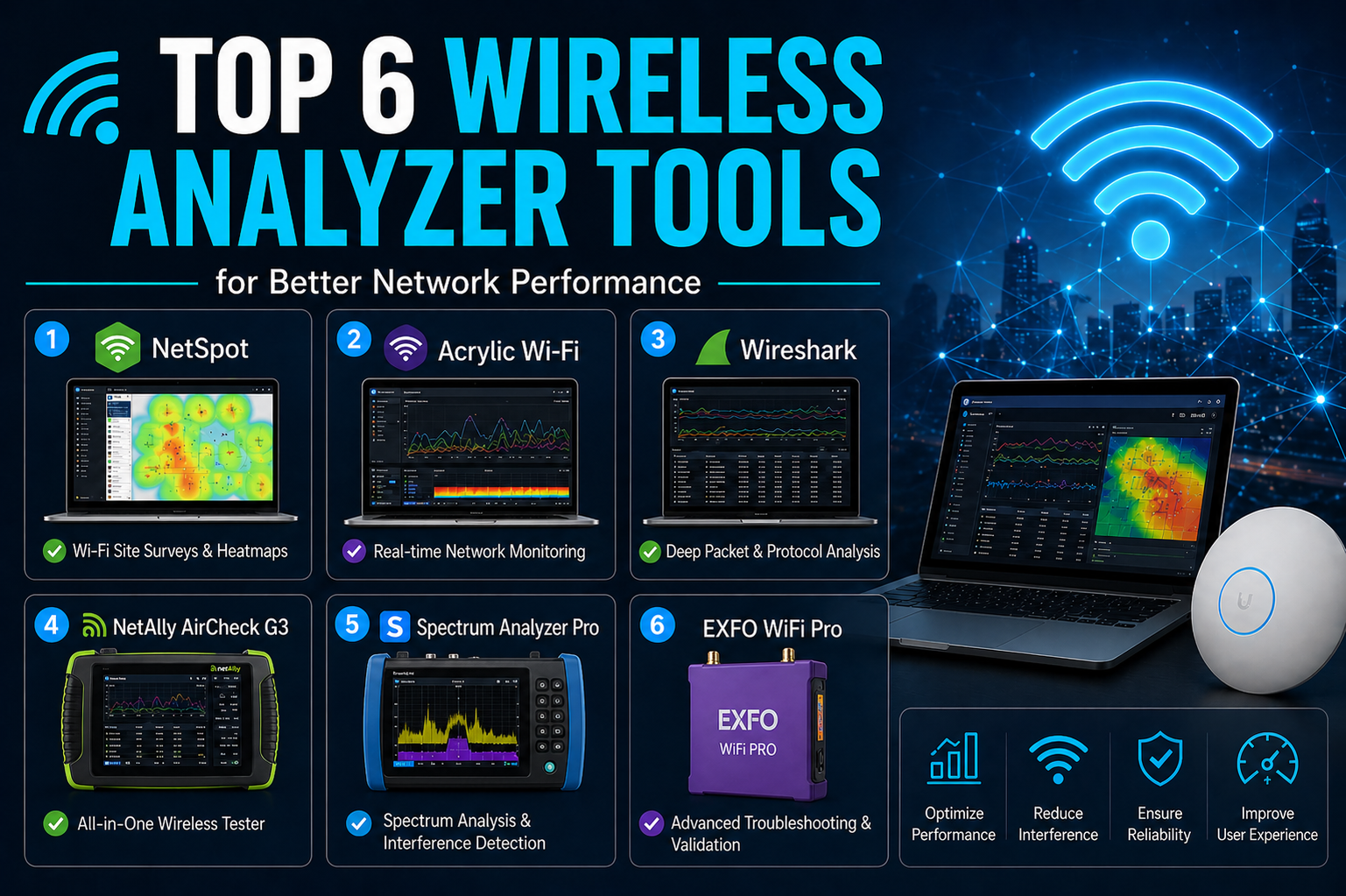
Wireless networking has undergone a dramatic transformation over the past decade, evolving from a convenience into a fundamental part of everyday life. From smart homes and connected workplaces to IoT ecosystems and mobile-first environments, Wi-Fi is now at the center of how devices communicate. With this expansion, however, comes increased complexity. Networks are no longer simple setups with a single router and a few devices—they are dynamic systems with multiple access points, overlapping channels, and constant interference from neighboring networks and electronic equipment.
As wireless usage continues to grow, the importance of maintaining a stable and high-performing network becomes critical. Slow speeds, dropped connections, and inconsistent coverage are no longer minor inconveniences—they can disrupt work, communication, and productivity. Despite this, troubleshooting Wi-Fi issues is often overlooked or handled reactively rather than proactively. Many users rely on trial-and-error methods, such as restarting routers or switching channels randomly, without truly understanding the root cause of the problem.
This is where wireless analyzer tools come into play. These tools provide visibility into the invisible world of radio frequencies and network traffic, allowing users to diagnose issues, optimize performance, and plan better network deployments. Whether you are a home user trying to eliminate dead zones or an IT professional managing enterprise infrastructure, wireless analyzers offer the insights needed to make informed decisions.
A good wireless analyzer can reveal a wide range of critical information. It can show how strong your Wi-Fi signal is in different areas, identify which channels are congested, detect interference from nearby networks, and even uncover hidden devices that may be affecting performance. More advanced tools go even further, allowing deep inspection of network packets, analysis of non-Wi-Fi interference, and detailed reporting for long-term improvements.
The tools covered in this guide are among the most effective and widely used options available today. Each serves a specific purpose, and understanding their strengths will help you choose the right one for your needs. Some are designed for deep technical analysis, while others focus on ease of use and visualization. In this first part, we will explore two powerful tools that specialize in packet analysis and wireless monitoring.
Wireshark: Deep Packet Analysis and Network Insight
Wireshark is widely regarded as one of the most powerful network analysis tools available. It is an open-source packet analyzer that allows users to capture and inspect data traveling across a network in real time. While it is not limited to wireless networks, it plays a crucial role in diagnosing Wi-Fi issues at a very detailed level.
At its core, Wireshark works by capturing packets—small units of data that are transmitted between devices. Each packet contains valuable information, including its source, destination, protocol, and payload. By analyzing these packets, users can gain a deep understanding of how their network is functioning and identify issues that are not visible through basic tools.
One of the key strengths of Wireshark is its ability to provide granular visibility into network activity. Users can filter traffic based on specific protocols, IP addresses, or conditions, making it easier to isolate problems. For example, if a network is experiencing slow performance, Wireshark can help determine whether the issue is caused by excessive retransmissions, latency, or misconfigured devices.
In wireless environments, Wireshark becomes particularly useful when troubleshooting complex issues such as authentication failures, packet loss, or abnormal traffic patterns. By examining the communication between devices and access points, users can identify where the breakdown is occurring. This level of detail is invaluable for network engineers and IT professionals who need precise diagnostics.
However, Wireshark is not a beginner-friendly tool. Its interface and the volume of data it presents can be overwhelming for users without a strong background in networking. Understanding protocols such as TCP, UDP, ARP, and DHCP is essential to interpret the captured data effectively. Without this knowledge, the information may appear as a confusing stream of packets rather than meaningful insights.
Another important consideration is that Wireshark’s ability to capture wireless traffic depends on the capabilities of the network interface card (NIC) and the operating system. Not all systems support full packet capture in wireless mode, and additional configuration may be required. In some cases, users may need specialized hardware or drivers to enable advanced monitoring features.
Despite these challenges, Wireshark remains a cornerstone tool for network analysis. Its flexibility, depth, and accuracy make it an essential resource for anyone who needs to perform detailed investigations. Whether analyzing a security issue, diagnosing connectivity problems, or studying network behavior, Wireshark provides the tools necessary to uncover the truth behind the data.
Another advantage of Wireshark is its ability to save captured data for later analysis. This feature is particularly useful in scenarios where issues occur intermittently. Instead of trying to catch the problem in real time, users can capture traffic over a period and review it afterward. This allows for more thorough investigations and better documentation of findings.
Wireshark also supports a wide range of protocols, making it a versatile tool for both wired and wireless networks. This broad compatibility ensures that users can analyze virtually any type of network traffic, from simple communications to complex enterprise environments.
While it may require time and effort to master, the insights gained from using Wireshark are unmatched. For professionals who need deep visibility into network operations, it is not just a useful tool—it is an essential one.
Kismet: Advanced Wireless Detection and Passive Monitoring
Kismet is another powerful tool that focuses specifically on wireless network analysis. Unlike Wireshark, which provides deep packet inspection, Kismet is designed to detect, monitor, and analyze wireless networks in a passive manner. This makes it particularly effective for discovering hidden networks and identifying devices that are not actively broadcasting their presence.
Kismet operates by capturing wireless signals without transmitting any data itself. This passive approach ensures that it leaves no trace on the networks it observes, making it ideal for security assessments and monitoring environments where discretion is important. By simply listening to the airwaves, Kismet can gather a wealth of information about nearby networks and devices.
One of the standout features of Kismet is its ability to detect non-broadcasting SSIDs. Many networks hide their names to improve security, but Kismet can still identify them by analyzing the traffic they generate. This capability is especially useful in corporate environments where unauthorized or rogue networks may pose a risk.
In addition to Wi-Fi, Kismet can also detect other types of wireless signals, including Bluetooth and various radio protocols. This broad detection capability allows users to gain a more comprehensive understanding of their wireless environment. Interference and performance issues are not always caused by Wi-Fi networks alone, and Kismet helps uncover these hidden factors.
Kismet includes a modern web-based interface that provides real-time visualization of detected networks and devices. Users can view signal strength, channel usage, encryption types, and other important details in an intuitive format. This makes it easier to analyze the environment and identify potential issues without needing to interpret raw data.
Another key advantage of Kismet is its scalability. It can be deployed as a standalone application or as part of a distributed system with multiple sensors. In larger environments, multiple installations can feed data into a central server, providing a unified view of the entire network. This makes Kismet a powerful tool for enterprise-level monitoring and analysis.
Kismet performs best on Linux systems, where it can take full advantage of RFMON (radio frequency monitor) mode. This mode allows the tool to capture all wireless traffic within range, rather than just the data associated with a specific network. While Kismet is available on other platforms, its performance and capabilities may be more limited outside of Linux environments.
Another notable feature is Kismet’s ability to log data for future analysis. Similar to Wireshark, it allows users to store captured information and review it later. This is particularly useful for identifying trends, tracking changes, and investigating incidents over time.
Kismet is especially valuable for network administrators who need to maintain security and visibility. By continuously monitoring the wireless environment, it can help detect unauthorized devices, identify misconfigurations, and ensure that networks are operating as expected.
While it may not provide the same level of packet-level detail as Wireshark, Kismet excels in areas where visibility and detection are the primary goals. Its passive operation, broad detection capabilities, and real-time visualization make it an indispensable tool for wireless analysis.
Together, Wireshark and Kismet represent two different but complementary approaches to network analysis. One focuses on deep inspection of data, while the other emphasizes detection and monitoring of the wireless environment. Understanding how to use both tools effectively can significantly enhance your ability to troubleshoot and optimize Wi-Fi networks.
In the next part, we will explore tools designed for visualization and planning, helping you understand how Wi-Fi signals behave in physical spaces and how to improve coverage across different environments.
we explored tools focused on packet-level inspection and wireless detection, which are essential for understanding what is happening behind the scenes in a network. However, not all Wi-Fi issues require deep packet analysis. In many real-world scenarios, the biggest challenges are related to signal strength, coverage gaps, and interference across physical spaces. These are problems that cannot always be solved by looking at raw data alone—they require visualization.
Wireless networks operate in a physical environment, and factors such as walls, floors, furniture, and even human movement can significantly impact signal performance. A router placed in the wrong location can create dead zones, while overlapping signals from neighboring networks can reduce speed and reliability. Without a clear visual representation of how signals behave in a space, diagnosing these issues becomes a guessing game.
This is where Wi-Fi mapping and heatmap tools become invaluable. They allow users to see exactly how their network performs across different areas, making it easier to identify weak spots, optimize access point placement, and improve overall coverage. In this part, we will look at two powerful tools that specialize in visualization, planning, and real-time troubleshooting.
Acrylic Wi-Fi Heatmaps: Precision Planning and Coverage Visualization
Acrylic Wi-Fi Heatmaps is a professional-grade solution designed for Wi-Fi planning and site surveys. It focuses on helping users understand how wireless signals are distributed within a physical space and how to optimize network design for maximum efficiency.
The core feature of Acrylic Wi-Fi Heatmaps is its ability to generate detailed visual maps of signal coverage. Users begin by importing a floor plan or creating a layout of their environment. This could be an office building, a home, or any other space where Wi-Fi is deployed. Once the layout is ready, the tool allows users to walk through the area with a device, collecting signal data in real time.
As data is gathered, the software creates a heatmap that visually represents signal strength across the entire space. Areas with strong coverage are typically shown in warm colors, while weak or dead zones appear in cooler shades. This immediate visual feedback makes it easy to identify problem areas that may not be obvious otherwise.
One of the biggest advantages of this approach is accuracy. Instead of relying on assumptions or rough estimates, users can base their decisions on real data. For example, if a particular room has weak coverage, the heatmap will clearly show the extent of the issue. This allows for precise adjustments, such as repositioning access points or adding additional hardware where needed.
Acrylic Wi-Fi Heatmaps also supports advanced planning features. Users can simulate different network configurations before implementing them in the real world. This includes testing various access point placements, adjusting signal strength, and evaluating how changes will impact coverage. This predictive capability is especially useful for large-scale deployments where trial and error would be costly and time-consuming.
Another important aspect of the tool is its support for modern Wi-Fi standards. As wireless technology continues to evolve, networks must adapt to new frequencies and performance requirements. Acrylic ensures compatibility with the latest standards, allowing users to design networks that are future-proof and capable of handling increasing demands.
In addition to visualization, the software includes robust reporting features. These reports can be used to document network performance, justify upgrades, and communicate findings to stakeholders. For businesses, this level of detail is crucial when planning infrastructure investments or troubleshooting persistent issues.
The tool also provides insights into existing hardware within the network. By analyzing the devices currently in use, it can help identify outdated equipment, misconfigured access points, or other factors that may be affecting performance. This holistic approach ensures that both physical layout and hardware are considered when optimizing the network.
While Acrylic Wi-Fi Heatmaps is a powerful tool, it is primarily aimed at professionals and advanced users. Its features are comprehensive, but they may require some learning to use effectively. For those involved in network design, however, it offers a level of precision and control that is difficult to match.
Acrylic Wi-Fi Analyzer: Real-Time Network Troubleshooting Made Easy
Acrylic Wi-Fi Analyzer complements the heatmapping tool by focusing on real-time analysis and troubleshooting. While heatmaps provide a broad overview of coverage, the analyzer dives into the immediate wireless environment to identify issues such as channel overlap and interference.
One of the most common causes of poor Wi-Fi performance is channel congestion. Wireless networks operate on specific channels, and when multiple networks use the same or overlapping channels, interference occurs. This can lead to slower speeds, dropped connections, and inconsistent performance.
Acrylic Wi-Fi Analyzer addresses this problem by scanning the surrounding area and displaying all nearby networks. It provides detailed information about each network, including signal strength, channel usage, security settings, and hardware details. This allows users to see exactly how crowded the wireless spectrum is in their location.
With this information, users can make informed decisions about which channels to use. By selecting a less congested channel, they can reduce interference and improve overall performance. This simple adjustment can have a significant impact, especially in densely populated areas where many networks compete for the same frequencies.
The tool also includes visual graphs that make it easier to understand channel overlap. Instead of interpreting raw numbers, users can see how different networks interact with each other in a clear and intuitive way. This visual approach simplifies the troubleshooting process and makes it accessible even to those with limited technical knowledge.
Another strength of Acrylic Wi-Fi Analyzer is its speed and responsiveness. It provides real-time updates, allowing users to see changes as they happen. This is particularly useful when testing adjustments, such as moving a router or switching channels. Immediate feedback helps users quickly determine whether their changes have improved the situation.
In addition to channel analysis, the tool can help identify other sources of interference. While it focuses primarily on Wi-Fi networks, it can still provide clues about external factors that may be affecting performance. Combined with other tools, this information can lead to a more comprehensive understanding of the network environment.
Acrylic Wi-Fi Analyzer is also lightweight and easy to use, making it suitable for both beginners and experienced users. It does not require extensive setup, and its interface is designed to present information clearly and efficiently. This makes it a practical choice for quick diagnostics and everyday troubleshooting.
When used alongside Acrylic Wi-Fi Heatmaps, it becomes part of a powerful toolkit for managing wireless networks. The heatmaps provide a big-picture view of coverage, while the analyzer offers detailed insights into real-time conditions. Together, they allow users to both plan and maintain their networks effectively.
These tools highlight the importance of visualization in wireless networking. While packet analysis tools like Wireshark and detection tools like Kismet are essential for deep diagnostics, visualization tools bring clarity to how networks perform in the real world. They bridge the gap between technical data and practical implementation, making it easier to create reliable and efficient Wi-Fi environments.
.As wireless environments become more complex, basic troubleshooting and visualization tools are sometimes not enough to uncover the root cause of persistent network issues. While heatmaps and channel analyzers provide valuable insights into Wi-Fi coverage and congestion, they are limited to standard wireless signals. In many real-world scenarios, interference comes from sources that are not part of traditional Wi-Fi networks at all.
Devices such as microwave ovens, cordless phones, wireless cameras, and even industrial equipment can emit radio frequency signals that disrupt Wi-Fi performance. These sources are often invisible to standard analyzers, making them difficult to detect and diagnose. This is where advanced spectrum analysis tools become essential.
Spectrum analyzers allow users to observe all radio frequency activity within a given range, not just Wi-Fi signals. This broader visibility makes it possible to identify hidden interference, track down problematic devices, and gain a deeper understanding of the wireless environment. In this part, we will explore a professional-grade solution designed for this level of analysis, along with a versatile tool that balances simplicity and advanced functionality.
Channelizer 6: Professional Spectrum Intelligence
Channelizer 6 is a high-end spectrum analysis tool built for professionals who need detailed insights into wireless environments. Unlike traditional Wi-Fi analyzers, Channelizer goes beyond standard network data and focuses on the full radio frequency spectrum. This allows it to detect both Wi-Fi and non-Wi-Fi interference sources with exceptional accuracy.
One of the defining characteristics of Channelizer 6 is its reliance on dedicated hardware. To unlock its full capabilities, it must be used alongside compatible spectrum analyzer devices. This combination transforms the software into a powerful diagnostic system capable of capturing real-time RF activity with a level of detail that software-only solutions cannot achieve.
With this setup, users can visualize how radio frequencies are being used across different channels. Instead of just seeing which Wi-Fi networks are present, they can observe all signals occupying the spectrum, including those generated by non-Wi-Fi devices. This is particularly important in environments where interference cannot be explained by standard network activity.
For example, if a network experiences periodic slowdowns at specific times of the day, a traditional analyzer might not reveal the cause. Channelizer, however, can show spikes in RF activity that correspond to the operation of nearby equipment. This makes it possible to identify and address issues that would otherwise remain unresolved.
Another powerful feature of Channelizer 6 is its directional analysis capability. With the appropriate hardware, users can locate the physical source of interference by tracking signal strength and direction. This is especially useful in large or complex environments, where pinpointing the exact origin of a problem can save significant time and effort.
Channelizer also excels in providing detailed visualizations. Its interface presents RF data in a way that is both comprehensive and easy to interpret for experienced users. Graphs and charts display signal intensity, frequency usage, and interference patterns, allowing for a deeper understanding of how different signals interact.
In addition to real-time analysis, the tool includes advanced reporting features. These reports can be used to document findings, support troubleshooting efforts, and communicate results to stakeholders. In enterprise environments, this level of documentation is essential for making informed decisions about network upgrades and infrastructure improvements.
Despite its capabilities, Channelizer 6 is not designed for casual users. Its reliance on specialized hardware and its technical complexity make it more suitable for professionals who require precise and detailed analysis. However, for those who need to go beyond basic troubleshooting, it offers unmatched visibility into the wireless spectrum.
The investment required for Channelizer is higher than most other tools, but the value it provides in complex environments often justifies the cost. When dealing with critical networks where performance and reliability are non-negotiable, having access to this level of insight can make a significant difference.
NetSpot: Balanced Simplicity and Powerful Insights
NetSpot is a versatile wireless analyzer that bridges the gap between beginner-friendly tools and professional-grade solutions. It combines ease of use with powerful features, making it a popular choice for both individuals and IT professionals.
One of NetSpot’s core strengths is its ability to conduct Wi-Fi site surveys with minimal complexity. Users can upload a floor plan or create a layout of their space, then walk around while the software collects data in real time. As this data is gathered, NetSpot generates visual heatmaps that show signal strength, interference levels, and coverage gaps.
These heatmaps provide a clear and intuitive way to understand network performance. Instead of dealing with abstract numbers or technical metrics, users can see exactly where their network is strong and where it needs improvement. This makes it easier to identify dead zones, optimize router placement, and ensure consistent coverage throughout a space.
In addition to visualization, NetSpot includes a range of troubleshooting features. It can analyze channel usage, detect interference, and provide recommendations for improving performance. This makes it a well-rounded tool that can handle both planning and maintenance tasks.
Another advantage of NetSpot is its accessibility. The interface is designed to be user-friendly, allowing even beginners to perform detailed analyses without extensive technical knowledge. At the same time, it offers enough depth to satisfy more advanced users who need detailed insights into their network.
NetSpot supports multiple platforms, making it a flexible option for different environments. Whether used in a home setting or a professional workspace, it adapts to a wide range of needs. This versatility is one of the reasons it has become a go-to tool for many users.
The tool also provides real-time feedback, which is particularly useful during troubleshooting. Users can make adjustments to their network and immediately see the impact on performance. This iterative approach helps refine configurations and achieve optimal results more efficiently.
Another important feature is its ability to store and analyze historical data. By comparing different surveys over time, users can track changes in network performance and identify trends. This is especially useful in environments where conditions change frequently, such as offices with varying levels of occupancy.
While NetSpot may not offer the same level of spectrum analysis as Channelizer, it provides a balanced set of features that cover most common use cases. For many users, it delivers all the functionality needed to maintain a reliable and efficient wireless network without the complexity of more advanced tools.
When comparing Channelizer 6 and NetSpot, it becomes clear that they serve different purposes. Channelizer is designed for deep, professional-level spectrum analysis, while NetSpot focuses on usability and practical insights. Both are valuable, but the choice between them depends on the specific requirements of the user.
For environments where interference from non-Wi-Fi sources is a major concern, Channelizer provides the necessary tools to identify and resolve the issue. On the other hand, for users who need a straightforward way to visualize and optimize their network, NetSpot offers an effective and accessible solution.
These tools demonstrate how wireless analysis can range from simple diagnostics to highly specialized investigations. As networks continue to grow in complexity, having access to the right level of analysis becomes increasingly important.
Wireshark vs. Kismet: Depth vs. Detection
Wireshark and Kismet are often mentioned together, but they serve very different purposes. Wireshark is a packet analyzer that focuses on detailed inspection of network traffic. It allows users to capture and analyze packets at a granular level, making it ideal for diagnosing complex issues related to protocols, latency, and data flow.
Kismet, on the other hand, is built specifically for wireless environments. It excels at detecting networks, including hidden ones, and monitoring wireless activity in real time. Its passive approach allows it to gather information without interacting directly with the network, which is particularly useful for security assessments.
When it comes to deep analysis, Wireshark stands out. It provides unmatched detail and flexibility, making it the preferred choice for professionals who need to investigate specific issues at the packet level. However, it lacks some of the wireless-specific features that make Kismet so effective for discovery and monitoring.
Kismet’s strength lies in its ability to provide a broad view of the wireless environment. It can identify networks, devices, and potential threats that might otherwise go unnoticed. Its real-time visualization and passive operation make it a valuable tool for ongoing monitoring.
In practical terms, the choice between these two tools depends on the task at hand. If the goal is to analyze network traffic in detail, Wireshark is the better option. If the objective is to discover and monitor wireless networks, Kismet is more suitable. For comprehensive analysis, using both tools together can provide a more complete understanding.
NetSpot vs. Acrylic Wi-Fi Heatmaps: Simplicity vs. Advanced Planning
NetSpot and Acrylic Wi-Fi Heatmaps both focus on visualization and site surveys, but they differ in complexity and target audience.
NetSpot is designed to be user-friendly, offering an intuitive interface that makes it easy to conduct surveys and generate heatmaps. It is well-suited for users who want quick insights into their network without dealing with complicated configurations. Its real-time feedback and straightforward workflow make it a popular choice for both beginners and professionals.
Acrylic Wi-Fi Heatmaps, in contrast, is geared toward more advanced users and professional environments. It offers detailed planning tools, simulation capabilities, and comprehensive reporting features. This makes it ideal for designing networks from the ground up or optimizing large-scale deployments.
The key difference lies in the level of control and detail. NetSpot prioritizes ease of use, allowing users to achieve good results بسرعة and efficiently. Acrylic provides more advanced options, enabling precise planning and deeper analysis.
Choosing between these tools depends on the scale and complexity of the network. For smaller setups or quick troubleshooting, NetSpot is often sufficient. For larger projects that require careful planning and documentation, Acrylic Wi-Fi Heatmaps is the better choice.
Acrylic Wi-Fi Analyzer vs. Channelizer 6: Basic vs. Professional Troubleshooting
Acrylic Wi-Fi Analyzer and Channelizer 6 both address troubleshooting, but at very different levels of depth.
Acrylic Wi-Fi Analyzer is a lightweight tool that focuses on channel analysis and interference detection within standard Wi-Fi networks. It provides a clear overview of nearby networks, helping users identify congestion and choose better channels. Its simplicity makes it ideal for everyday troubleshooting.
Channelizer 6, however, operates on a completely different level. It is a professional spectrum analysis tool that requires dedicated hardware to function fully. Instead of focusing only on Wi-Fi networks, it analyzes the entire radio frequency spectrum, allowing users to detect interference from non-Wi-Fi sources.
This broader capability makes Channelizer indispensable in complex environments where standard tools fall short. It can uncover hidden issues caused by electronic devices, industrial equipment, or other sources of RF interference. Its detailed visualizations and reporting features also make it suitable for enterprise use.
While Acrylic Wi-Fi Analyzer is an excellent free or low-cost option for basic troubleshooting, it cannot match the depth and precision of Channelizer. For casual users or small networks, Acrylic is more than enough. For professionals dealing with challenging environments, Channelizer provides the advanced tools needed to resolve difficult problems.
Selecting the Right Tool for the Right Task
Wireless networking is not a one-size-fits-all domain. Each environment presents unique challenges, and the tools required to address those challenges can vary significantly. Understanding the strengths of each tool is the first step toward making effective decisions.
For deep technical analysis, tools like Wireshark provide the detail needed to uncover complex issues. For wireless discovery and monitoring, Kismet offers valuable insights into the surrounding environment. When it comes to visualization and planning, NetSpot and Acrylic Wi-Fi Heatmaps help translate data into actionable improvements. For advanced troubleshooting and interference detection, Channelizer 6 stands out as a professional solution.
In many cases, the best approach is not to rely on a single tool but to use a combination of them. Each tool provides a different perspective, and together they create a more complete picture of the network. This layered approach allows users to move from broad observations to detailed analysis, ensuring that no aspect of the network is overlooked.
As wireless technology continues to evolve, the importance of effective analysis tools will only increase. New standards, higher device densities, and more complex environments will require better visibility and smarter troubleshooting methods. By becoming familiar with these tools and their capabilities, users can stay ahead of these challenges and maintain reliable, high-performing networks.
Ultimately, the right wireless analyzer is the one that meets your specific needs. Whether you are optimizing a home network or managing a large enterprise deployment, having the right tools at your disposal makes all the difference.
Conclusion
Wireless networks have become a critical part of modern life, supporting everything from everyday communication to complex business operations. As these networks grow in size and complexity, maintaining strong performance and reliability requires more than basic troubleshooting. Understanding how signals behave, how devices communicate, and where interference originates is essential for building and maintaining an efficient Wi-Fi environment.
The tools discussed—Wireshark, Kismet, Acrylic Wi-Fi Heatmaps, Acrylic Wi-Fi Analyzer, Channelizer 6, and NetSpot—each bring unique strengths to wireless analysis. Some focus on deep technical inspection, while others provide visual insights or advanced spectrum-level diagnostics. Together, they cover every aspect of Wi-Fi troubleshooting, from identifying hidden networks to mapping signal coverage and detecting non-Wi-Fi interference.
Choosing the right tool depends on your specific needs. Simple environments may only require basic analysis and channel optimization, while complex setups benefit from advanced monitoring and professional-grade diagnostics. In many cases, combining multiple tools provides the most accurate and complete understanding of network performance.
As wireless technology continues to evolve, the ability to analyze and optimize networks will become even more important. By using the right tools and developing the skills to interpret their data, users can ensure faster speeds, stronger connections, and a more reliable wireless experience in any environment.