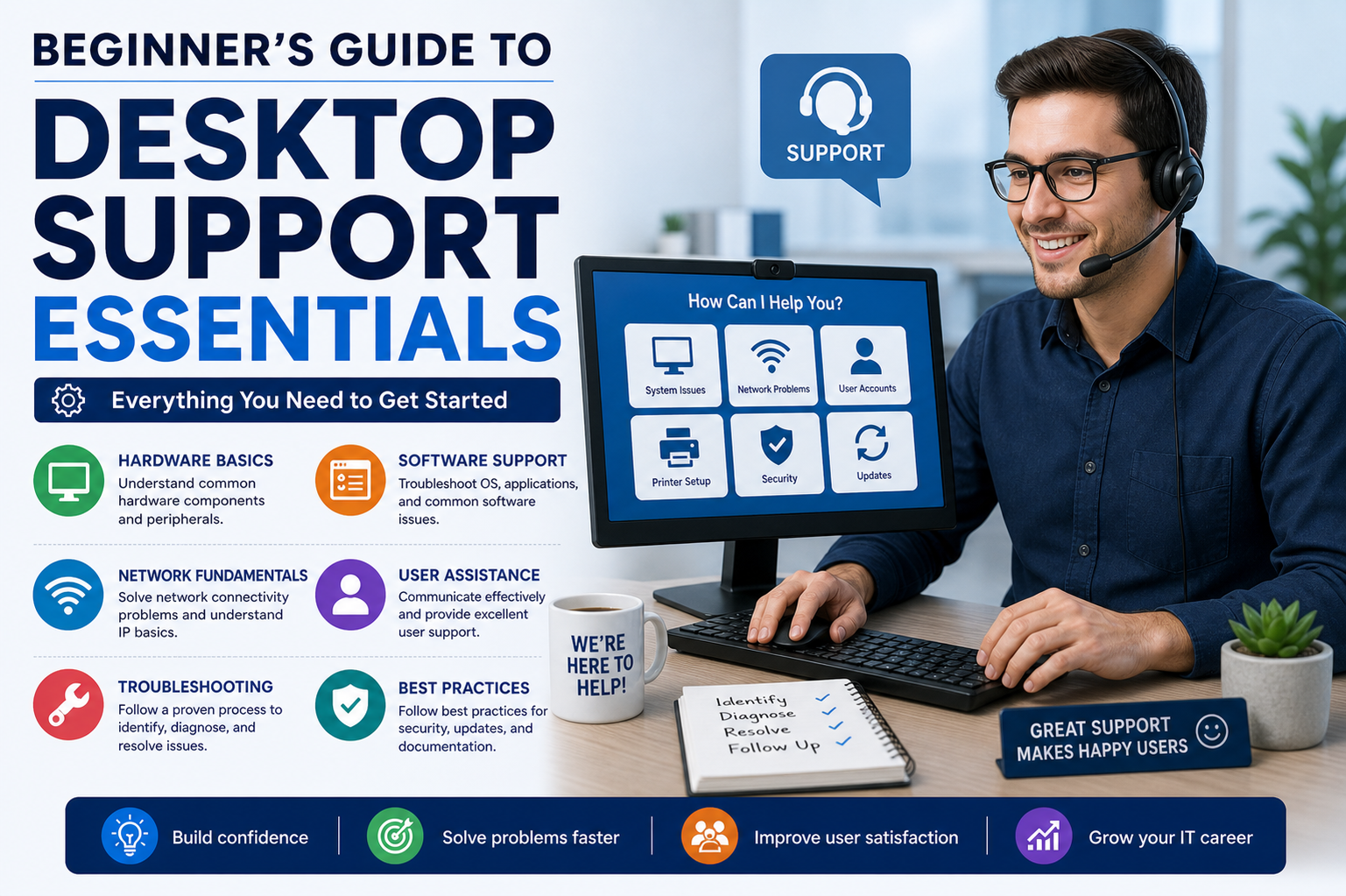
Desktop support, often referred to as help desk support, represents a foundational role within the IT ecosystem. It focuses on ensuring that computers, devices, and systems function smoothly so that organizations can operate without disruption. This role is essential in maintaining the everyday digital environment that businesses rely on, from small offices to large enterprises. Desktop support professionals act as the first point of contact when technical issues arise, helping users quickly return to productivity while minimizing downtime and frustration.
Understanding Desktop Support Roles
Desktop support roles encompass a wide range of responsibilities centered around maintaining and troubleshooting end-user computing environments. These professionals work with desktops, laptops, printers, and other connected devices to ensure everything operates as expected. The role is not limited to fixing problems but also includes preventing issues through regular maintenance and proactive system monitoring. It requires a balance of technical knowledge and practical problem-solving skills.
Importance of Desktop Support in Modern IT
In today’s technology-driven workplaces, desktop support plays a crucial role in keeping operations stable. Almost every business depends on digital tools, applications, and networks to perform daily tasks. When something breaks or fails, productivity can quickly come to a halt. Desktop support professionals help bridge this gap by resolving issues efficiently and ensuring that employees can continue their work with minimal interruptions.
Key Responsibilities in Desktop Support
The responsibilities of desktop support professionals vary depending on the organization, but they generally include diagnosing technical issues, resolving hardware and software problems, and assisting users with system access. They also handle system updates, device configurations, and connectivity issues. In many environments, they are responsible for ensuring that all devices meet organizational standards and security requirements before being used in production.
Common Job Titles in Desktop Support
Desktop support is an umbrella term that covers several job titles across the IT support spectrum. These include IT support technician, help desk technician, technical support specialist, and IT service desk analyst. While the titles may differ, the core responsibilities remain similar. Each role focuses on assisting users, resolving technical challenges, and maintaining smooth IT operations across an organization.
Core Purpose of Desktop Support Professionals
The primary purpose of desktop support professionals is to act as problem solvers and first responders in IT environments. They are responsible for quickly identifying issues, understanding user concerns, and implementing effective solutions. When problems are too complex to handle directly, they escalate them to specialized teams. Their work ensures that small technical issues do not escalate into larger operational disruptions.
Operating Systems Knowledge in Desktop Support
A strong understanding of operating systems is essential for desktop support professionals. Most organizations use Windows-based environments, but macOS and Linux systems are also common in many workplaces. Professionals in this field must be comfortable navigating system settings, managing user permissions, and performing administrative tasks across different platforms. This knowledge allows them to troubleshoot effectively regardless of the device or system in use.
Hardware Knowledge Requirements
Desktop support professionals must be familiar with a wide range of hardware components. This includes desktops, laptops, printers, scanners, monitors, and other peripherals. While hardware failures may not occur daily, they are common enough that technicians need to understand how to diagnose and replace faulty components. This hands-on knowledge ensures that physical device issues can be resolved quickly and efficiently.
Software and Application Support Skills
Software support is another critical aspect of desktop support roles. Professionals are responsible for installing, updating, and maintaining applications used by employees. These may include productivity tools, communication platforms, and industry-specific software. Understanding how different applications interact with operating systems helps technicians resolve compatibility issues and performance problems effectively.
Remote Desktop and Support Tools
Modern desktop support heavily relies on remote access tools that allow technicians to connect to user systems from a distance. This capability enables faster response times and reduces the need for physical intervention. Through remote tools, professionals can diagnose issues, apply fixes, and guide users through solutions in real time. Mastery of these tools is essential for efficient support delivery.
Network and Security Awareness
Desktop support professionals often interact with more devices on a network than any other IT role. Because of this, they must have a solid understanding of basic networking concepts and security practices. This includes awareness of connectivity issues, firewall settings, and secure authentication methods. Ensuring devices remain secure while maintaining accessibility is a key part of their responsibility.
Cloud Technology Fundamentals
As organizations increasingly adopt cloud-based services, desktop support professionals must understand the basics of cloud platforms. Services such as cloud storage, virtual applications, and online collaboration tools are now standard in many workplaces. Technicians need to assist users in accessing and using these services effectively while troubleshooting any related issues that arise.
Communication and Soft Skills
Technical knowledge alone is not enough in desktop support. Strong communication skills are equally important because professionals must interact with users who may not have technical backgrounds. Explaining solutions clearly, remaining patient during stressful situations, and maintaining a professional attitude are essential qualities. These soft skills help build trust and ensure smoother problem resolution.
Daily Work Environment in Desktop Support
The daily environment of a desktop support professional can vary depending on the organization. Some work in structured help desk centers, while others operate in more flexible on-site roles. Regardless of the setting, the work typically involves responding to user requests, managing tickets, and resolving technical issues throughout the day. The role is dynamic and often requires multitasking between different types of problems.
User Support and Issue Handling
A significant portion of desktop support involves assisting users with their technical problems. Requests may come through emails, phone calls, chat systems, or in-person interactions. The ability to quickly understand the issue, ask the right questions, and guide users toward a solution is essential. Many issues involve simple misunderstandings, while others require deeper technical investigation.
Troubleshooting and Problem Solving
Troubleshooting is at the heart of desktop support work. Technicians must analyze symptoms, identify root causes, and implement appropriate fixes. This process often requires logical thinking and a structured approach to problem-solving. Since users may not always provide complete information, professionals must be skilled at interpreting partial details and narrowing down potential causes.
Software Installation and Maintenance
Installing and maintaining software is a routine task in desktop support. This includes setting up new applications, applying updates, and ensuring compatibility with existing systems. Proper software management helps reduce errors, improve performance, and maintain security standards across the organization. Technicians must also ensure that installations follow company policies and licensing requirements.
Account and Password Management
Managing user accounts and passwords is another important responsibility. Desktop support professionals often reset passwords, unlock accounts, and ensure proper access rights are assigned to users. These tasks are essential for maintaining system security and ensuring users can access the resources they need without unnecessary delays.
Documentation and Reporting Practices
Accurate documentation is a critical part of desktop support work. Every issue, solution, and interaction is typically recorded in a tracking system. This helps organizations identify recurring problems, improve processes, and maintain accountability. Clear documentation also ensures that other team members can understand past issues and continue support if needed.
Introduction to Learning Desktop Support Basics
Learning desktop support begins with understanding fundamental IT concepts and gradually building practical skills. Many individuals start with introductory training materials that cover basic hardware, software, and networking concepts. As knowledge grows, hands-on practice becomes increasingly important for developing real-world troubleshooting abilities.
Getting Familiar with Entry-Level IT Concepts
Before advancing into specialized skills, it is important to become comfortable with basic IT concepts. This includes understanding how operating systems function, how networks connect devices, and how applications interact with hardware. Building this foundation helps learners approach more complex desktop support tasks with confidence and clarity.
Exploring Practical IT Exposure
Practical exposure is a key part of developing desktop support skills. Working with simulated environments or real systems helps reinforce theoretical knowledge. This experience allows learners to practice troubleshooting, system configuration, and user support scenarios in a controlled setting. It is an essential step toward becoming job-ready in the field.
Building Confidence in Technical Support Tasks
Confidence in desktop support comes from repeated practice and exposure to different technical issues. As learners work through various scenarios, they develop the ability to think critically and respond effectively under pressure. This confidence is crucial for handling real-world support situations where quick and accurate solutions are required.
Advancing Beyond Basic Desktop Support Knowledge
Building confidence in desktop support naturally leads to deeper technical understanding and exposure to more complex environments. At this stage, professionals begin to move beyond simple troubleshooting and start handling layered problems involving multiple systems. This includes working with integrated networks, enterprise applications, and cross-platform environments where issues are not always isolated. The ability to connect different technical elements becomes essential for effective problem resolution.
Understanding Enterprise IT Environments
In larger organizations, desktop support does not operate in isolation. It functions within a structured IT ecosystem that includes servers, networks, cloud systems, and security frameworks. Professionals must understand how user devices connect to these systems and how disruptions in one area can impact others. This broader awareness helps in identifying root causes more efficiently and reduces unnecessary delays in troubleshooting.
Working with Ticketing Systems
Ticketing systems are a core part of desktop support operations. Every user issue is typically logged as a ticket that tracks the problem from start to resolution. These systems help organize workloads, prioritize urgent issues, and maintain a record of all support activities. Desktop support professionals must learn how to properly document issues, update ticket status, and ensure timely resolution according to organizational expectations.
Prioritization and Incident Handling
Not all technical issues carry the same level of urgency. Desktop support professionals must be able to prioritize incidents based on their impact on business operations. Critical system failures that affect multiple users are handled before minor individual issues. This structured approach ensures that resources are allocated efficiently and that business continuity is maintained even during technical disruptions.
Understanding Service Level Expectations
Organizations often operate under defined service expectations that outline how quickly issues should be resolved. Desktop support professionals must work within these expectations while balancing workload and complexity. Meeting response and resolution times is an important part of maintaining user satisfaction and ensuring smooth IT operations across departments.
Escalation Procedures in Desktop Support
When a problem cannot be resolved at the desktop support level, it must be escalated to higher-level technical teams. Understanding when and how to escalate issues is a critical skill. Proper escalation ensures that complex problems are handled by specialists while maintaining clear communication with users. This process prevents delays and ensures that issues are resolved efficiently.
Remote Support and Virtual Assistance Tools
Remote support tools are widely used in desktop support environments to provide immediate assistance without physical presence. These tools allow technicians to access user systems, diagnose problems, and apply fixes from a central location. Mastering remote support platforms improves response time and reduces operational delays, especially in distributed work environments.
Handling Multi-Device Environments
Modern workplaces use a wide variety of devices including desktops, laptops, tablets, and mobile systems. Desktop support professionals must be able to manage and troubleshoot across all these platforms. Each device type may have different configurations, operating systems, and software requirements, making adaptability a key skill in this role.
User Experience and Support Interaction
A significant part of desktop support involves direct interaction with users. Understanding user behavior and communication styles is important for effective problem resolution. Some users may not fully understand technical terminology, so support professionals must translate complex issues into simple explanations. This improves cooperation and reduces frustration during troubleshooting.
Basic Networking Concepts for Support Professionals
While desktop support is not primarily a networking role, basic networking knowledge is essential. Understanding how devices connect through local networks, Wi-Fi, and internet services helps in diagnosing connectivity issues. Knowledge of IP addresses, DNS, and network configurations allows technicians to identify whether problems are device-specific or network-related.
Device Configuration and Setup Processes
Setting up new devices is a routine task in desktop support. This includes installing operating systems, configuring user accounts, and installing required software. Proper configuration ensures that devices meet organizational standards and are ready for use. This process also includes applying security policies and ensuring compliance with company guidelines.
Security Awareness in Desktop Support
Security is a critical concern in all IT environments. Desktop support professionals play an important role in maintaining system security by ensuring devices are properly configured and updated. They also assist users with secure password practices and help identify potential security risks such as phishing attempts or unauthorized access.
Patch Management and System Updates
Keeping systems updated is essential for performance and security. Desktop support professionals are often responsible for applying software patches and system updates. These updates fix vulnerabilities, improve performance, and ensure compatibility with other systems. Proper update management reduces the risk of system failures and security breaches.
Managing User Permissions and Access Control
Access control is an important aspect of desktop support responsibilities. Professionals ensure that users have the correct level of access to systems and applications. Incorrect permissions can lead to security risks or workflow disruptions. Managing these permissions requires attention to detail and an understanding of organizational roles.
Handling Hardware Troubleshooting in Detail
Hardware troubleshooting involves diagnosing physical components of computing devices. This includes identifying issues with hard drives, memory, processors, and peripheral devices. Desktop support professionals must be able to determine whether hardware failures are causing system problems and take appropriate action, such as replacement or repair.
Peripheral Device Management
Peripheral devices such as printers, scanners, and external drives are commonly used in office environments. Desktop support professionals are responsible for ensuring these devices function correctly and remain compatible with user systems. Issues such as driver conflicts or connectivity failures are common and require systematic troubleshooting.
Software Compatibility Challenges
One of the common challenges in desktop support is dealing with software compatibility issues. Different applications may conflict with each other or with the operating system. Professionals must identify these conflicts and find solutions such as updates, configuration changes, or alternative software options.
Role of Automation in Desktop Support
Automation tools are increasingly used in IT support environments to streamline repetitive tasks. These tools can handle software installations, system updates, and routine maintenance tasks. Understanding how to work with automation improves efficiency and allows desktop support professionals to focus on more complex issues.
Cloud Integration in Daily Support Tasks
Cloud-based systems are now a standard part of many organizations. Desktop support professionals must assist users with accessing cloud applications, syncing data, and resolving cloud-related issues. Understanding cloud integration helps ensure smooth collaboration and data accessibility across different devices and locations.
Collaboration with IT Teams
Desktop support professionals often work closely with other IT teams such as network engineers, system administrators, and security analysts. Collaboration ensures that issues are resolved efficiently and that knowledge is shared across departments. Strong teamwork improves overall IT performance and reduces resolution times.
Understanding Organizational IT Structure
Every organization has a structured IT environment with defined roles and responsibilities. Desktop support professionals must understand where they fit within this structure. This includes knowing escalation paths, reporting lines, and communication protocols to ensure smooth workflow and coordination.
Handling High-Pressure Support Situations
Desktop support professionals often work in high-pressure environments where multiple issues arise simultaneously. The ability to stay calm, prioritize tasks, and resolve problems efficiently is essential. Time management and structured thinking help maintain performance during busy periods.
Continuous Learning in Desktop Support
Technology is constantly evolving, and desktop support professionals must continuously update their skills. This includes learning new software, understanding emerging technologies, and adapting to changes in IT environments. Continuous learning ensures long-term career growth and relevance in the field.
Developing Analytical Problem-Solving Skills
Strong analytical skills are essential in desktop support. Professionals must be able to break down complex problems into smaller components and analyze each part systematically. This approach helps in identifying root causes and implementing effective solutions quickly.
Importance of Documentation Standards
Proper documentation ensures consistency and knowledge sharing within IT teams. Desktop support professionals must follow organizational standards when recording issues and solutions. Well-maintained documentation helps in training new staff and improving future problem resolution processes.
Working in Structured IT Support Models
Many organizations follow structured IT support models where responsibilities are divided into levels. Desktop support typically operates at the first level, handling basic to moderate issues. Understanding this structure helps professionals know when to resolve issues directly and when to escalate them.
End User Training and Guidance
In addition to troubleshooting, desktop support professionals often provide basic training to end users. This includes guiding them on how to use applications, follow security practices, and avoid common mistakes. Educating users reduces recurring issues and improves overall efficiency.
Adapting to Changing Technology Trends
Technology in IT environments evolves rapidly, and desktop support professionals must adapt accordingly. New operating systems, applications, and devices require updated knowledge and skills. Staying current with these changes ensures effective support and long-term career development.
Understanding of Desktop Support Role Development
As desktop support professionals gain experience, their role expands from basic troubleshooting to more advanced technical responsibilities. This progression includes deeper involvement in system management, security, and infrastructure support. The role serves as a strong foundation for broader IT career opportunities while maintaining its importance in daily organizational operations.
Building Strong Technical Foundations in Desktop Support
At this stage of desktop support learning, professionals begin strengthening their technical foundation by combining practical experience with deeper system knowledge. This includes understanding how different IT components interact within an organization. Instead of viewing issues in isolation, support professionals start recognizing patterns across hardware, software, and network layers. This broader understanding improves both speed and accuracy in troubleshooting.
Developing Structured Troubleshooting Methods
Effective desktop support relies heavily on structured troubleshooting approaches. Instead of guessing solutions, professionals follow logical steps to isolate and identify problems. This includes gathering information, reproducing the issue, identifying possible causes, testing solutions, and confirming resolution. A structured approach reduces mistakes and ensures consistency in handling different types of technical issues.
Using Diagnostic Tools Effectively
Diagnostic tools play an important role in identifying system and network problems. These tools help monitor system performance, detect hardware failures, and analyze software behavior. Desktop support professionals must learn how to interpret diagnostic data to understand what is happening behind the scenes. This skill allows faster identification of root causes and reduces unnecessary trial-and-error troubleshooting.
Introduction to IT Service Management Practices
IT service management concepts help organize how support services are delivered within an organization. These practices define how incidents are reported, handled, and resolved. Desktop support professionals often work within these structured frameworks, ensuring that user issues are managed efficiently and consistently. This improves service quality and ensures accountability across IT operations.
Understanding Incident and Problem Management
Incident management focuses on resolving immediate issues affecting users, while problem management deals with identifying the underlying causes of recurring incidents. Desktop support professionals play a key role in both areas. They handle daily incidents while also contributing data and insights that help prevent future issues from occurring.
Role of Knowledge Bases in Support Environments
Knowledge bases are internal documentation systems that store solutions to common problems. Desktop support professionals frequently use these resources to resolve issues quickly and consistently. They also contribute by documenting new solutions. Over time, this shared knowledge improves efficiency and reduces repetitive troubleshooting tasks.
Importance of Standard Operating Procedures
Standard operating procedures ensure that tasks are performed consistently across the support team. These procedures define how specific issues should be handled, from password resets to system installations. Following standardized processes reduces errors, improves response times, and ensures a predictable support experience for users.
Introduction to Scripting in Desktop Support
Basic scripting skills are becoming increasingly valuable in desktop support roles. Simple scripts can automate repetitive tasks such as software installation, system checks, and configuration changes. Learning scripting helps professionals save time and improve accuracy, especially when dealing with large numbers of systems.
Working with Active Directory and User Management Systems
User management systems are commonly used to control access to organizational resources. Desktop support professionals often work with these systems to create user accounts, reset passwords, and assign permissions. Understanding how these systems function is essential for maintaining secure and organized IT environments.
Device Lifecycle Management
Every device in an organization goes through a lifecycle that includes deployment, maintenance, and retirement. Desktop support professionals are involved in each stage. They help set up new devices, maintain existing systems, and properly decommission old hardware. This ensures efficient resource management and system reliability.
Understanding Virtual Environments
Virtual environments allow multiple systems to run on a single physical machine. Desktop support professionals may encounter virtual desktops or virtual machines in modern workplaces. Understanding how these environments work helps in troubleshooting performance issues and managing virtual resources effectively.
Introduction to IT Asset Management
IT asset management involves tracking all hardware and software within an organization. Desktop support professionals contribute by recording device information, software licenses, and configuration details. Proper asset management ensures compliance, reduces waste, and improves overall IT efficiency.
Handling Remote Work Support Challenges
With the rise of remote work environments, desktop support roles have expanded beyond physical office spaces. Professionals now assist users working from different locations, dealing with connectivity issues, VPN access, and remote software setups. Supporting remote users requires strong communication and advanced troubleshooting skills.
VPN and Remote Access Support
Virtual private networks allow users to securely connect to organizational systems from remote locations. Desktop support professionals help users configure and troubleshoot VPN connections. Understanding how secure remote access works is important for maintaining productivity and security in distributed work environments.
Email System Support and Configuration
Email systems are critical communication tools in any organization. Desktop support professionals assist with email setup, configuration, and troubleshooting. Common issues include syncing problems, login errors, and mailbox access issues. Ensuring smooth email functionality is a key responsibility in daily support operations.
Printer and Network Device Troubleshooting
Printers and network devices often cause frequent support requests due to configuration or connectivity issues. Desktop support professionals must understand how these devices interact with networks and user systems. Resolving printer errors and ensuring proper driver installation are common tasks in this area.
Performance Optimization Techniques
System performance issues such as slow startup times, application lag, and system freezes are common in desktop environments. Support professionals analyze system resources, remove unnecessary processes, and optimize configurations to improve performance. This helps maintain user productivity and system efficiency.
Understanding Software Deployment Methods
Software deployment refers to the process of installing applications across multiple systems. Desktop support professionals may use automated deployment tools or manual installation methods depending on the environment. Proper deployment ensures consistency and reduces configuration errors.
Introduction to Change Management Concepts
Change management ensures that modifications to IT systems are planned, tested, and implemented safely. Desktop support professionals often participate in this process when new software or updates are introduced. Following change management procedures helps prevent system disruptions and ensures stability.
Cybersecurity Awareness in Support Roles
Cybersecurity awareness is essential for protecting organizational systems. Desktop support professionals help enforce security policies, identify suspicious activity, and educate users about safe computing practices. Their role acts as a first line of defense against many common security threats.
Handling Malware and Threat Response Basics
When systems are infected with malware or suspicious activity is detected, desktop support professionals assist in containment and removal. This includes isolating affected systems, running scans, and restoring systems to a safe state. Quick response helps minimize damage and prevent further spread.
User Training and Knowledge Sharing
Educating users is an important part of reducing support requests. Desktop support professionals often provide basic training on software usage, security practices, and system navigation. This proactive approach helps users avoid common mistakes and improves overall efficiency.
Communication in Technical Environments
Clear communication is essential in desktop support roles. Professionals must explain technical issues in simple terms that non-technical users can understand. Good communication reduces confusion, builds trust, and improves the overall support experience.
Time Management in Support Operations
Desktop support professionals often handle multiple tasks simultaneously. Effective time management ensures that urgent issues are prioritized while routine tasks are completed efficiently. This balance is essential for maintaining service quality in busy environments.
Introduction to IT Certifications Pathway
Certifications play an important role in validating desktop support skills. They demonstrate technical knowledge and increase job opportunities. Many professionals pursue entry-level certifications first before moving into more advanced IT certifications as their careers progress.
Skill Validation Through Practical Exams
Certification exams often include practical components that test real-world skills. These exams assess a candidate’s ability to troubleshoot, configure systems, and solve technical problems. Preparing for such exams helps strengthen both theoretical and practical knowledge.
Career Growth Through Continuous Learning
Desktop support is not a static career path. Continuous learning is essential for growth and advancement. As technology evolves, professionals must update their skills to stay relevant and competitive in the IT industry.
Building Confidence in Complex Support Scenarios
With experience, desktop support professionals become more confident in handling complex technical scenarios. This confidence comes from repeated exposure to different types of issues and successful problem resolution over time.
Expanding Knowledge into Advanced IT Areas
As professionals gain experience, they often explore advanced IT fields such as networking, systems administration, cybersecurity, and cloud computing. Desktop support serves as a strong foundation for transitioning into these specialized roles.
Understanding Collaboration Across IT Departments
Desktop support does not operate independently. Collaboration with other IT departments is essential for solving complex issues. Working with network teams, system administrators, and security teams ensures that problems are resolved efficiently and effectively.
Preparing for Higher-Level IT Responsibilities
With experience, desktop support professionals often move into higher-level roles that involve more responsibility and technical complexity. These roles require deeper knowledge of systems, infrastructure, and organizational IT strategies.
Understanding of Intermediate Desktop Support Growth
At this stage, desktop support professionals transition from basic troubleshooting roles to more structured and technical responsibilities. They begin to understand broader IT systems, contribute to organizational improvements, and develop skills that prepare them for advanced IT careers.
Transitioning from Desktop Support to Advanced IT Roles
At this stage of professional growth, desktop support is no longer just about fixing everyday user issues. It becomes a foundation for moving into more advanced areas of information technology. Many professionals begin to explore specialized paths such as systems administration, networking, cybersecurity, and cloud infrastructure. The experience gained in desktop support provides the practical understanding needed to handle more complex IT environments with confidence.
Understanding Systems Administration Path
Systems administration focuses on managing and maintaining the core infrastructure of an organization’s IT environment. While desktop support deals with individual user systems, systems administrators work on servers, centralized services, and enterprise-level configurations. Desktop support professionals transitioning into this role already understand user needs, which helps them design and maintain systems that are both functional and user-friendly.
Exploring Network Administration Responsibilities
Network administration involves managing the connectivity between devices, systems, and services within an organization. This includes routers, switches, firewalls, and network protocols. Desktop support professionals often gain early exposure to network-related issues such as connectivity failures or slow performance. Over time, this exposure builds a foundation for understanding how larger network systems operate and how to maintain their stability.
Introduction to Cybersecurity Career Paths
Cybersecurity is another major direction for professionals starting in desktop support. Security analysts focus on protecting systems from threats, monitoring suspicious activity, and ensuring compliance with security standards. Desktop support professionals already play a role in identifying basic security issues, which gives them a natural entry point into this field. As they progress, they develop deeper expertise in threat detection and risk management.
Cloud Computing as a Career Expansion Area
Cloud computing has become a major part of modern IT infrastructure. Organizations now rely heavily on cloud services for storage, applications, and computing power. Desktop support professionals often interact with cloud-based tools such as file storage systems and collaboration platforms. This exposure helps them transition into cloud-focused roles where they manage and support large-scale cloud environments.
Role of Help Desk Management Positions
Help desk management represents a leadership path within desktop support. Instead of directly solving technical issues, help desk managers oversee teams of support professionals. They assign tasks, manage workflows, and ensure that service standards are met. This role requires strong communication, organizational skills, and a deep understanding of support operations.
Developing Leadership Skills in IT Support
As professionals move forward in their careers, leadership skills become increasingly important. These include decision-making, team coordination, and conflict resolution. In IT support environments, leadership is not just about managing people but also about guiding technical processes and ensuring that teams work efficiently under pressure.
Understanding Systems Integration Concepts
Systems integration involves connecting different IT systems so they work together seamlessly. Desktop support professionals often encounter situations where multiple systems interact, such as software syncing across devices or applications communicating over a network. Understanding how integration works helps in diagnosing complex issues and improving system efficiency.
Importance of Documentation in Advanced Roles
In higher IT roles, documentation becomes even more critical. Detailed records of system configurations, changes, and incidents help maintain consistency and reduce risk. Desktop support professionals who develop strong documentation habits early in their careers are better prepared for advanced roles where precise record-keeping is essential for system stability.
Handling Complex Technical Environments
As IT environments grow in complexity, professionals must manage multiple systems, platforms, and technologies simultaneously. Desktop support experience provides exposure to diverse technologies, which builds adaptability. This ability to handle complexity is essential when moving into roles that require oversight of entire IT infrastructures.
Advanced Troubleshooting Methodologies
In more advanced roles, troubleshooting goes beyond basic problem-solving. It involves analyzing system logs, interpreting performance data, and identifying patterns across multiple systems. Desktop support professionals who advance in their careers develop stronger analytical skills that allow them to resolve issues at a deeper technical level.
Understanding IT Infrastructure Components
IT infrastructure includes all hardware, software, networks, and services that support organizational operations. Desktop support professionals interact with these components daily, even if indirectly. As they progress, they begin to understand how these elements work together to form a complete and functional IT ecosystem.
The Role of Automation in Advanced IT Careers
Automation becomes increasingly important in higher-level IT roles. Tasks such as system updates, backups, and monitoring can be automated to improve efficiency. Desktop support professionals who learn automation tools gain a significant advantage when transitioning into more advanced technical positions.
Cloud Administration Responsibilities
Cloud administrators manage cloud-based systems and services used by organizations. This includes configuring cloud resources, monitoring performance, and ensuring security compliance. Desktop support professionals familiar with cloud tools are better prepared to move into these roles because they already understand user interaction with cloud platforms.
Security Operations in IT Environments
Security operations involve continuous monitoring of systems to detect and respond to threats. Professionals in this field work closely with security tools and frameworks to protect organizational data. Desktop support experience provides a basic understanding of security issues, which serves as a stepping stone into more specialized cybersecurity roles.
Data Management and Storage Systems
Data management is another important area in advanced IT careers. This involves organizing, storing, and protecting large volumes of information. Desktop support professionals often deal with user data issues, which helps them understand the importance of proper data handling and storage practices in larger systems.
Collaboration in Enterprise IT Teams
In advanced IT environments, collaboration becomes even more critical. Professionals must work closely with multiple departments to ensure smooth operations. Desktop support experience teaches communication and teamwork skills that are essential when coordinating across different technical teams.
Performance Monitoring and Optimization
Advanced IT roles often involve monitoring system performance at a large scale. This includes analyzing server loads, network traffic, and application efficiency. Desktop support professionals who progress into these roles use their troubleshooting experience to identify performance bottlenecks and implement improvements.
Understanding IT Governance and Policies
IT governance refers to the policies and procedures that guide how technology is used within an organization. These policies ensure security, compliance, and efficiency. Desktop support professionals gradually become familiar with these rules, preparing them for roles that require enforcing or developing IT policies.
Career Path Diversification in IT
One of the strongest aspects of starting in desktop support is the wide range of career paths available afterward. Professionals can move into networking, systems administration, cybersecurity, cloud computing, or IT management. Each path builds on the foundational skills developed in desktop support.
Problem-Solving at Enterprise Scale
As professionals advance, problem-solving shifts from individual user issues to enterprise-wide challenges. This requires understanding how systems interact on a large scale and how changes in one area can impact the entire organization. Desktop support experience provides the foundation for this broader perspective.
Managing IT Projects and Implementations
In advanced roles, professionals may become involved in IT projects such as system upgrades, migrations, and infrastructure improvements. These projects require planning, coordination, and technical expertise. Desktop support experience helps professionals understand user impact during such transitions.
Understanding Compliance and Regulatory Requirements
Many organizations must follow strict compliance and regulatory standards related to data security and system management. Advanced IT professionals are responsible for ensuring these standards are met. Early exposure to security and documentation in desktop support helps prepare for these responsibilities.
Building Expertise Through Continuous Practice
Expertise in IT does not come from theory alone. Continuous hands-on practice is essential for mastering advanced technical concepts. Desktop support professionals who consistently work on real-world issues develop deeper understanding and confidence over time.
Developing Strategic Thinking in IT Roles
Strategic thinking involves planning long-term improvements rather than just solving immediate problems. In advanced IT roles, professionals must consider scalability, efficiency, and future growth. Desktop support experience helps develop this mindset by exposing professionals to recurring system issues and operational patterns.
Expanding Responsibility in IT Leadership Roles
As professionals move into leadership positions, their responsibilities expand beyond technical tasks. They become responsible for guiding teams, making decisions, and ensuring that IT services align with business goals. Desktop support provides a strong foundation for these leadership capabilities.
Understanding End-to-End IT Service Delivery
End-to-end service delivery means managing IT services from initial request to final resolution and beyond. Advanced professionals oversee entire processes, ensuring quality and efficiency. Desktop support experience provides insight into the beginning stages of this service chain.
Adapting to Rapid Technological Change
Technology continues to evolve rapidly, and IT professionals must adapt continuously. Those who start in desktop support learn early how to adjust to new systems, tools, and processes. This adaptability becomes even more important in advanced roles where new technologies are introduced frequently.
Final Career Perspective in Desktop Support Journey
Desktop support is not just an entry-level position but a critical foundation for a long-term IT career. It provides exposure to real-world technical issues, user interaction, and system management. As professionals grow, they can branch into multiple advanced fields while carrying forward the practical experience gained in support roles.
Conclusion
Desktop support serves as the backbone of IT operations in nearly every organization. It introduces professionals to essential technical skills, problem-solving techniques, and communication practices that are required across all IT disciplines. From handling basic user issues to supporting complex enterprise environments, this role builds a strong foundation for future growth. Over time, desktop support professionals can evolve into specialized roles in systems administration, networking, cybersecurity, or cloud computing. With continuous learning, practical experience, and adaptability, desktop support becomes not just a job role but a powerful starting point for a successful and diverse career in information technology.